Testing an Application
Before you upload and deploy your Applications, you can test it locally. Testing lets you confirm that your app responds correctly to input data, produces the right outputs, and handles edge cases in a safe environment with no live assets affected.
There are two approaches, and they serve different purposes.
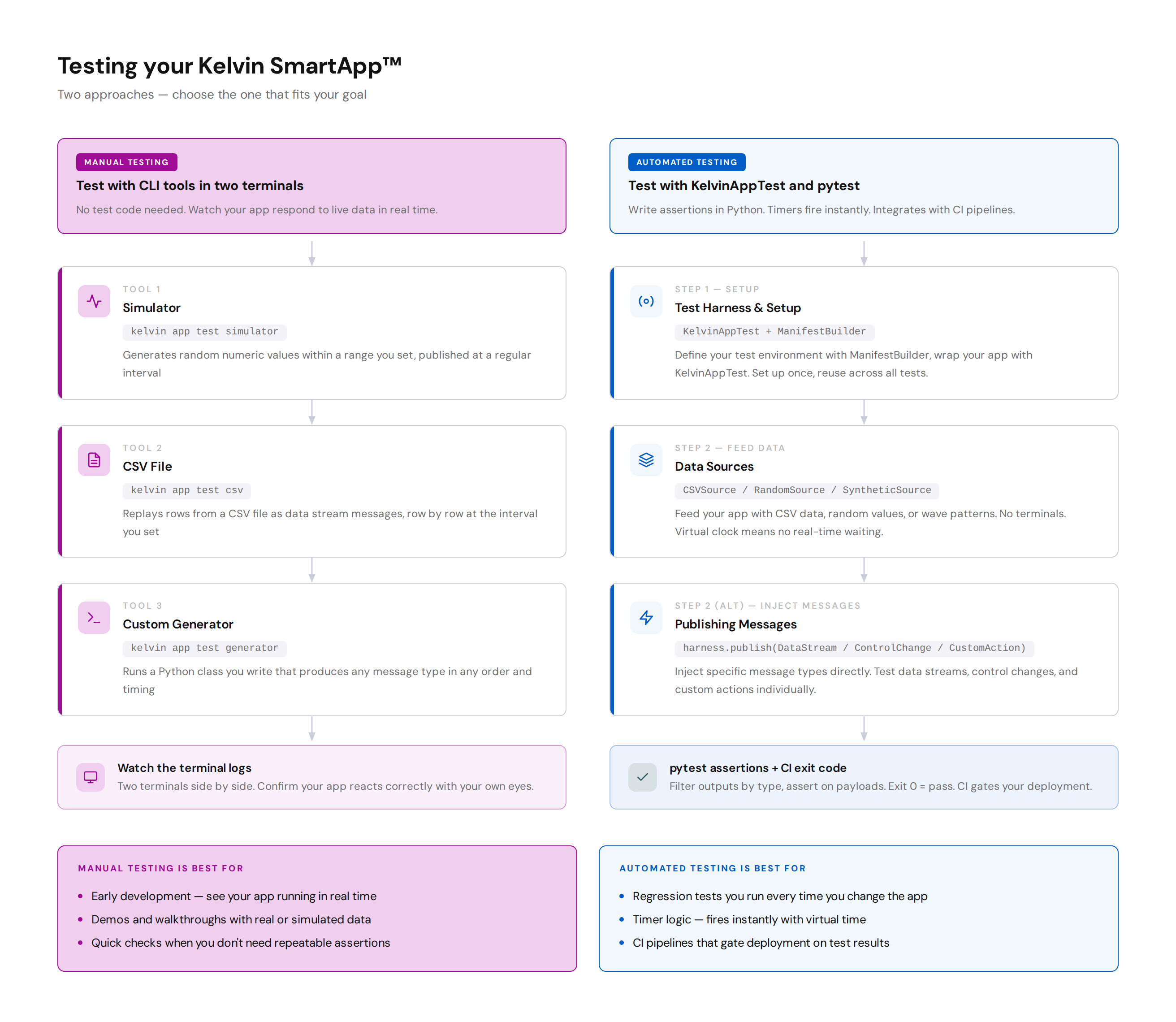
Manual testing with CLI tools
The Kelvin CLI includes three test tools that run alongside your app in two terminals. The tool delivers data to your app in real time, and you watch the logs to see what your app does.
No test code required. This is the fastest way to get your app receiving data during active development.
Choose your tool:
- Simulator — generates random values within a range you set
- CSV File — replays rows from a recorded CSV file
- Custom Generator — runs a Python class you write that produces any message type
Automated testing with KelvinAppTest
KelvinAppTest is a testing harness built into the Kelvin SDK. You write Python test functions, inject data, advance a virtual clock, collect your app's outputs, and assert on the results in code. Run everything with a single pytest command.
Start here: Test Harness & Setup, then choose how to feed your test:
- Data Sources — feed streams of messages continuously: CSV Source, Random & Synthetic
- Publishing Messages — inject specific messages directly: Data Streams, Control Changes, Custom Actions
Which approach to use
| Manual testing | Automated testing | |
|---|---|---|
| Setup | Just the CLI | pytest + a test file |
| Timer-based logic | Wait in real time | Virtual clock fires instantly |
| Checking outputs | Read the logs yourself | Python assertions in code |
| Repeatable results | Varies with random data | Deterministic with a fixed seed |
| CI integration | No | Yes — exit code reflects pass or fail |
| Best for | Active development and demos | Regression testing and CI pipelines |