AI Events to Tasks
On this page you will learn about what AI Events to Tasks is and how it fits into Kelvin.
What Is AI Events to Tasks?
AI Events to Tasks is a no-code workflow that helps Operations Engineers turn detected asset events into actionable automation logic.
Events can be detected in two ways:
- Unsupervised detection: the platform automatically flags unusual behavior that has not been pre-labeled.
- Supervised detection: the platform matches behavior against known event patterns that users have already reviewed and taught.
In simple terms, the workflow is:
- Detect meaningful operational Events.
- Turn those Events into useful Insights.
- Create Tasks from Insights and Operator instructions so responses are repeatable.
Operational Value
Operations teams often rely on manual monitoring, repeated checks, and individual experience.
This flow helps teams:
- Detect important operational patterns earlier
- Convert observations into structured operational knowledge
- Respond in a repeatable way across one or many assets
- Build practical automation without writing code
Who Uses This Workflow
This workflow is designed for Operations Engineers.
It does not require programming experience. Users define intent in natural language and review generated logic before enabling wider use.
How It Works
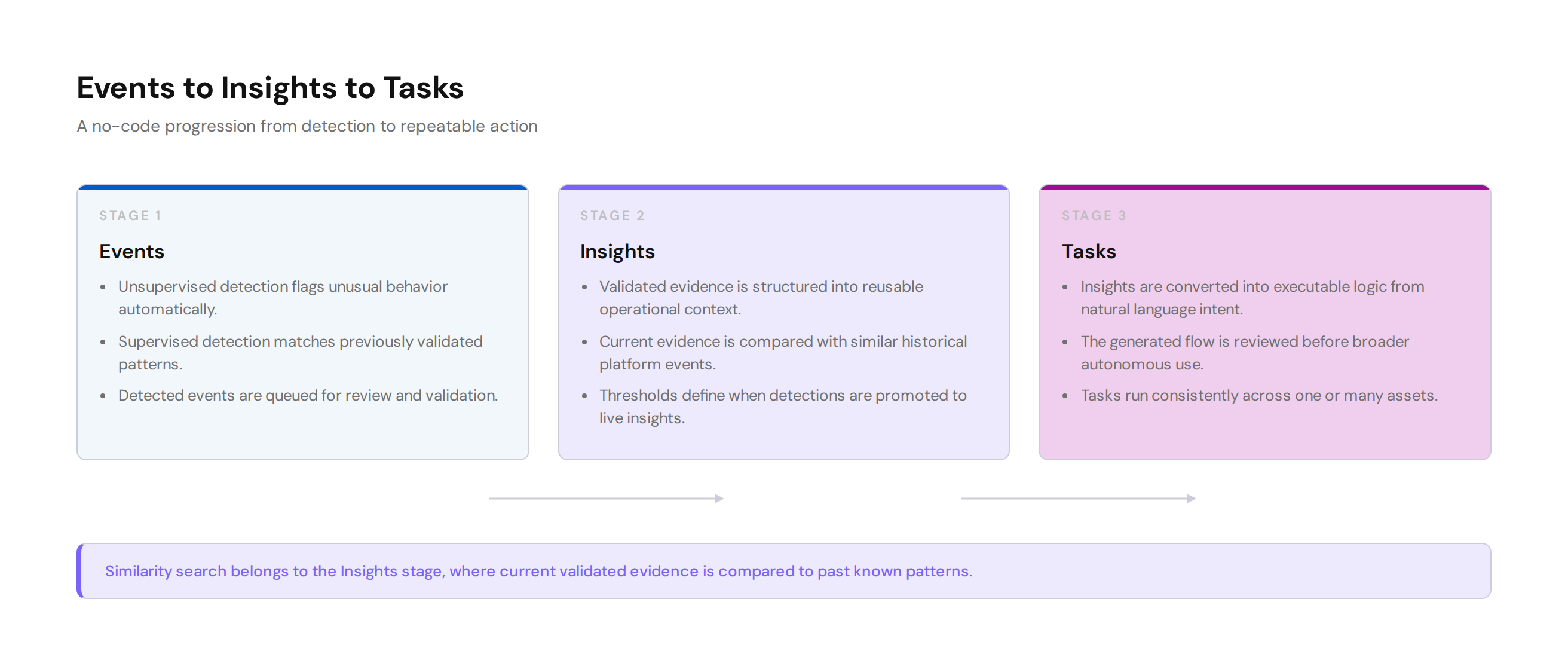
Events
Events are the starting point.
An event represents something noteworthy detected in asset behavior.
Common event paths include:
- Unsupervised events: statistical anomalies detected by the platform and sent for review
- Supervised events: validated event patterns used to improve future detections
Insights
Insights turn validated event evidence into reusable operational context.
In this stage, users and domain experts can:
- Tag accepted event evidence with selected time ranges and supporting Data Streams
- Define and validate similar pattern signatures for recurring event types
- Set match thresholds before detections are promoted to live insights
After event evidence is validated, the Insights stage searches for similar events that have happened before across the platform. This helps teams compare the current detection to prior known patterns and use previously learned context.
Note
By default it will only look for similar patterns in the same Asset.
You can expand the search to other Assets as well. This helps the similarity search learn more about the patterns of the event.
Tasks
Tasks convert validated insights and user intent into executable logic that can run consistently.
In practical use, a Task is a reusable operational logic unit created from Insights plus Operator instructions.
Once created, the Task applies the same decision logic each time it detects similar Events.
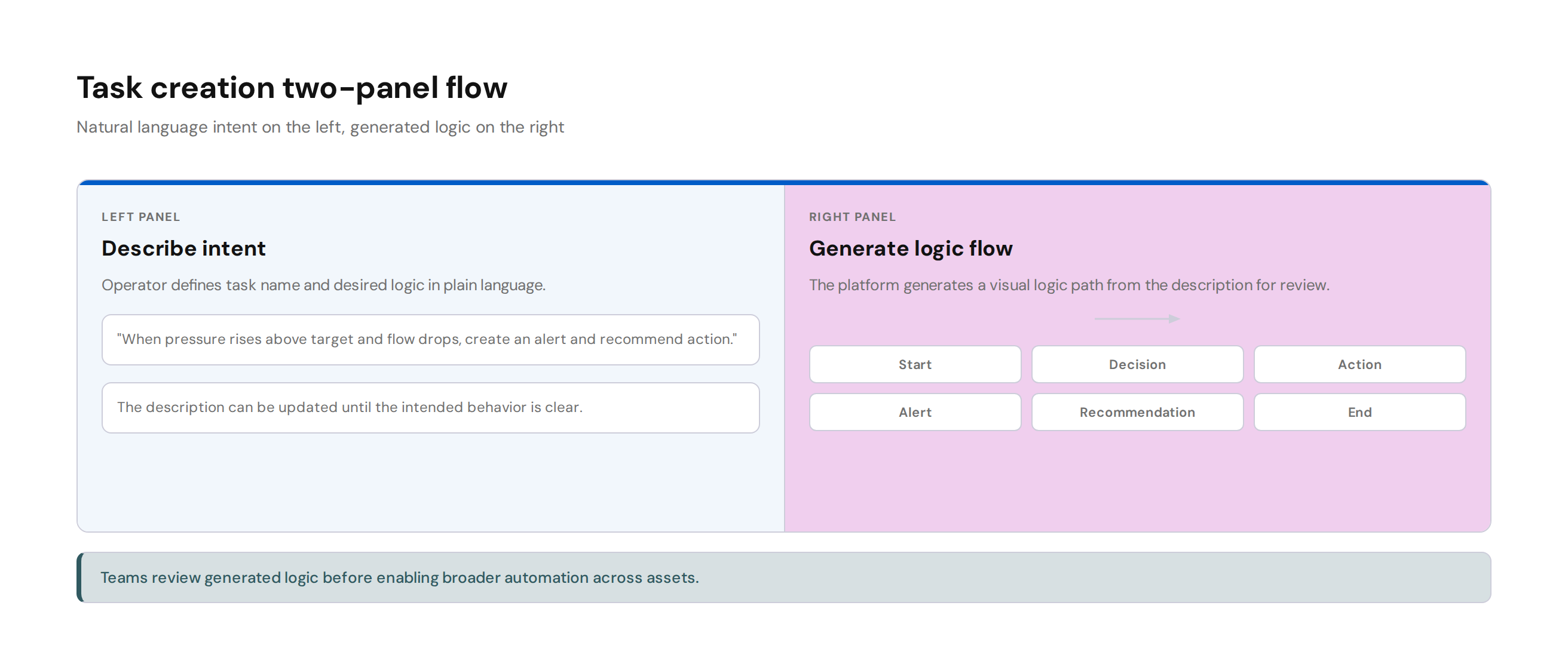
Task creation uses natural language plus a generated visual logic flow:
- Left panel: task name and natural language description
- Right panel: auto-generated logic graph that updates from the description
Teams can then:
- Run tasks on one or many assets
- Review decision branches and resulting actions
- Validate generated logic before enabling autonomous execution
- Configure response behavior such as Recommendations in Open Loop or Closed Loop, Alerts, discussion prompts, and interaction with other approved applications
AI Events to Tasks and Kelvin Applications
This workflow is a no-code path for operational automation.
For advanced or deeply customized logic, developers can still build Applications and integrate them into broader platform operations.
Why This Matters
AI Events to Tasks helps teams move from observation to action faster, with more consistency and less manual overhead.