App Configurations
Overview
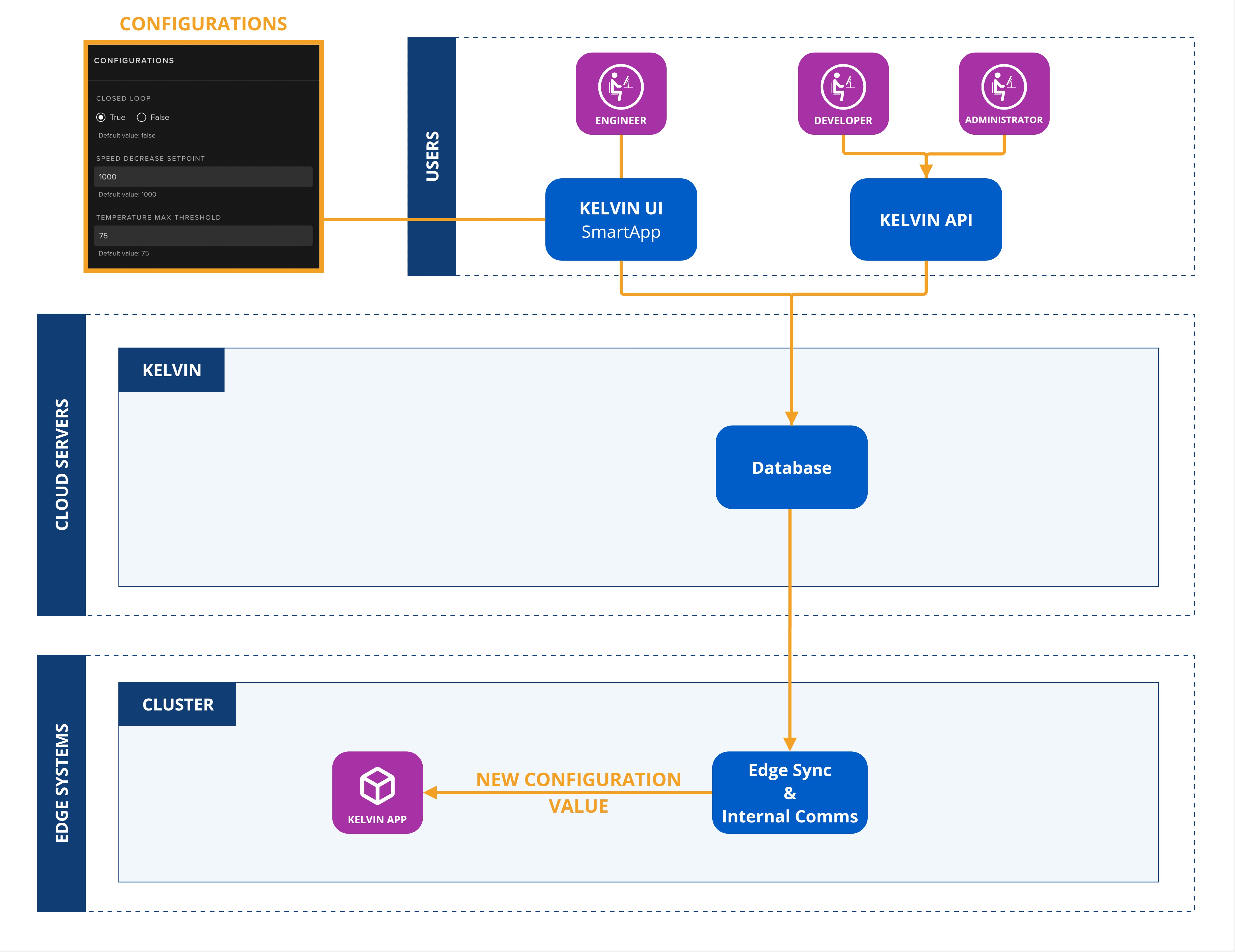
App Configurations are the default global values use in a Application. They are dynamic and can be modified at runtime by Operations through the Kelvin UI.
They are the same value for all Assets that is added to the Application.
Note
Applications can be deployed as multiple workloads.
Each workload can have multiple Assets.
In technical terms, the Application App Configuration values can be changed for each workload, meaning that different Assets in the same Application but running in different workloads can have different global app configurations values.
Data Type
It's essential to choose the appropriate Data Type that matches the kind of data you expect to use.
Some Semantic Types are predefined and will automatically determine the Data Type for you. For instance, if you choose "Pressure" as the semantic type, the system will automatically set the data type to Number. In contrast, the "State" semantic type offers more flexibility and can be a Boolean, Number, or String. In such cases, you'll need to manually select the correct Data Type.
Below are the available primitive data types with brief descriptions and their respective ranges:
| Option | Declaration Name | Description |
|---|---|---|
| Boolean | boolean |
Represents a binary state, either True or False |
| Number | number |
Uses a double precision floating point format. |
| String | string |
Variable-length text. |
| Object | Any word | This is unique because the word object is not explicitly used. Instead, an object is first defined in ui_schemas, and its filename serves as its identifier. For example, you can use the word dynacard which you can define in ui_schemas/io_configuration/, corresponding to the file schemas/io_configuration/dynacard.json. |
Ensure that you pick the type that best aligns with the data you anticipate receiving to maintain data integrity and optimize processing.